
2FA codes/10
Your verification code. Right beside your work.
Open the 2FA panel from the main window to view and manage verification codes.
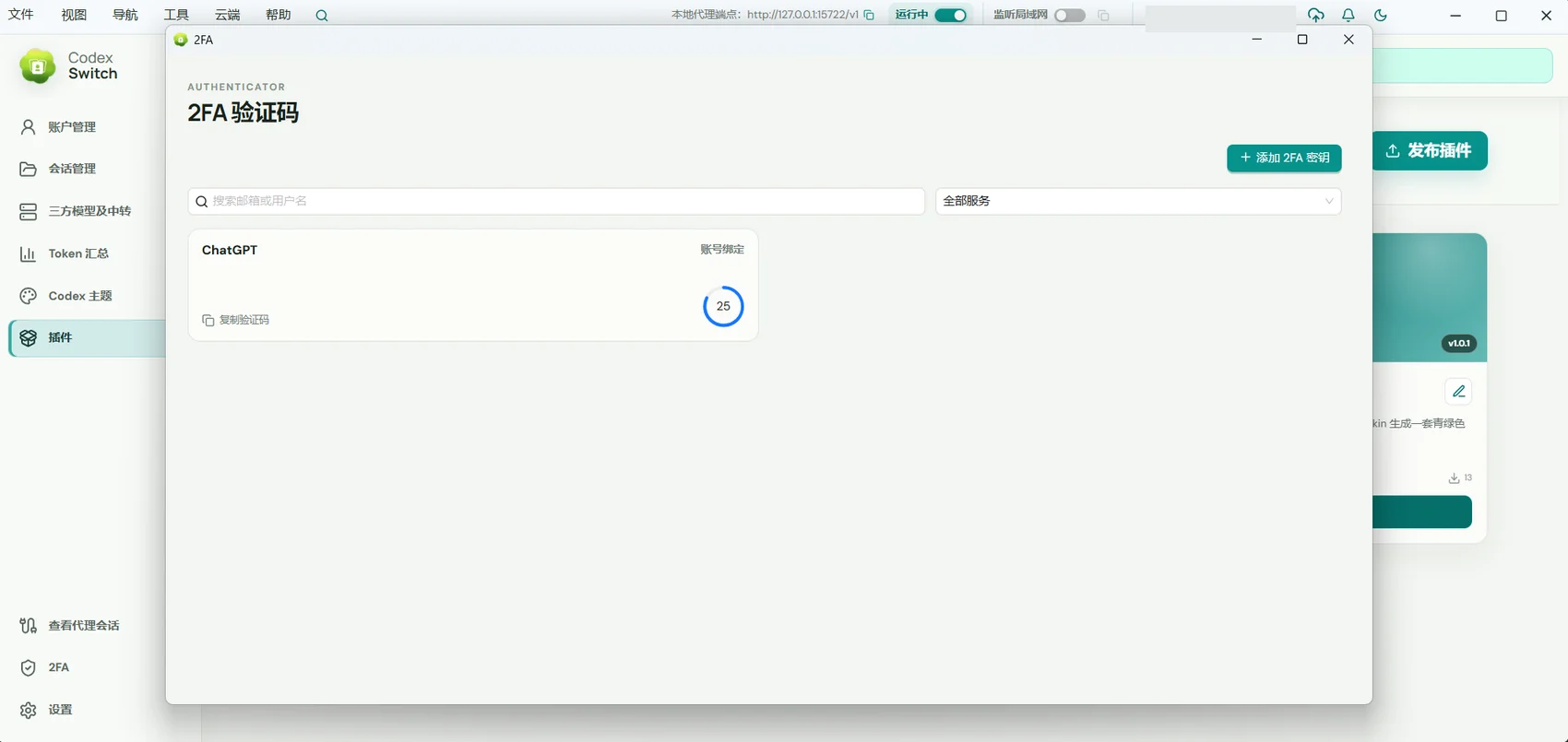
For people who need second-factor codes during everyday sign-in and want fewer window switches.
01 / 2FA codes
Open it from a familiar place
Select 2FA from the menu to open the panel on the right side of the main window, then return to your work after verification.
- Enter through the main window menu.
- View verification codes in the side panel.
- Keep verification close to your workspace.
02 / 2FA codes
Keep verification entries together
Manage the entries you have added and check the associated service and account before using a code.
- Review existing verification entries.
- Select the entry for the service you are signing into.
- Maintain verification information through the available panel controls.
03 / 2FA codes
Keep a way to recover the account
A verification code is only one part of signing in. Keep the recovery codes or alternatives supplied by the service.
- Match each entry to the correct service account.
- Use the current code as required by that service.
- Store the provider’s recovery information carefully.
Getting started
- Select 2FA in the Remote AI menu.
- View or manage the relevant entry in the side panel.
- Use its code in the corresponding service’s sign-in flow.
The panel does not replace a service’s account recovery process. Keep recovery codes safe and do not share verification codes or secrets.
A few useful answers
Where do I open 2FA?
Choose 2FA from the main window menu. The panel opens on the right.
Can this website recover lost verification information?
No. Use the recovery codes, backup factors, or recovery process supplied by the relevant service.