
Multiple accounts/04
Your accounts. A clearer overview.
See account status, quotas, and reset times together, and choose an available account for the work.
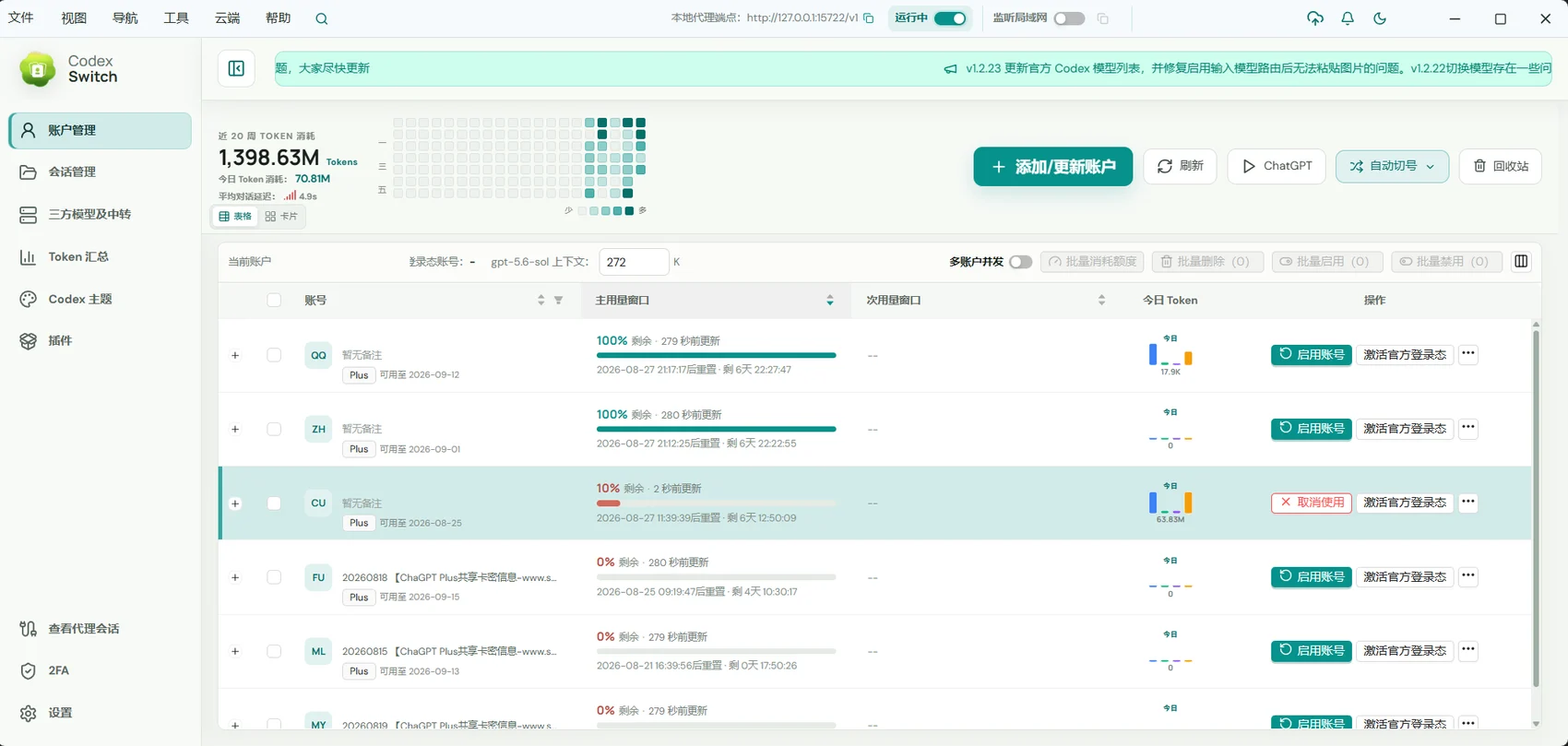
For people managing multiple Codex accounts who want less manual switching and quota checking.
01 / Multiple accounts
See the account information together
Account cards surface email, plan, usage windows, and reset information. Customize table columns around what matters to you.
- Review primary and secondary usage windows.
- Check plan, expiration, reset time, and daily Token information.
- Refresh manually or configure scheduled refreshes.
02 / Multiple accounts
Choose accounts around your work
Add accounts through in-app login, browser login, or configuration import. Use manual selection or configure automatic switching.
- Add and manage multiple accounts.
- Set priorities and quota thresholds for automatic switching.
- Use enabled fallback rules when quota runs low.
03 / Multiple accounts
Keep control of your configuration
Export and restore local account and Provider settings with a backup package. Codex GUI remembers its own account selection.
- Import supported account JSON formats.
- Move or restore configuration with a .cs backup.
- Distinguish the GUI account from the account selected for other applications.
Getting started
- Add an account through login or import.
- Refresh and check its status, quota, and reset time.
- Select the account and configure automatic switching if needed.
Automatic switching must be enabled and configured. Reported quotas and service availability depend on the account provider.
A few useful answers
Does automatic switching change my GUI account?
Codex GUI remembers its selection independently. Shared fallback and concurrent routing do not replace that selection.
Can I import existing configurations?
Remote AI supports auth.json and common third-party and multiple-account JSON formats. Only import accounts you are authorized to use.