
Providers & local proxy/05
The right model. Your choice of service.
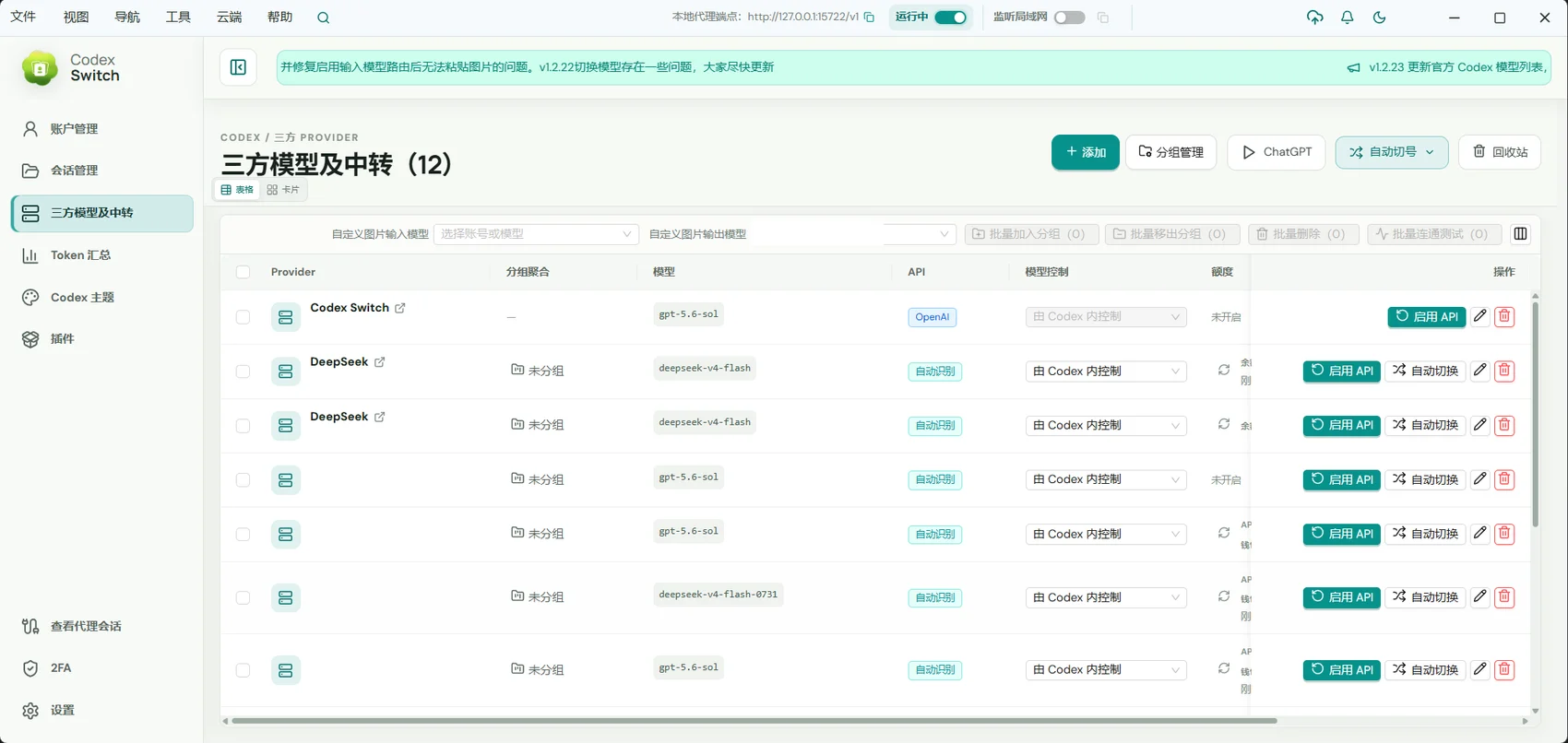
Manage third-party model services and connect compatible APIs through a local proxy.
For developers using their own model services, compatible APIs, or multiple Providers.
01 / Providers & local proxy
Manage model connections in one place
Keep service addresses, model choices, and connection settings together, with separate configurations for different needs.
- Use OpenAI Responses or compatible Chat Completions services.
- Maintain multiple Providers and models.
- Configure model policies around the service capabilities.
02 / Providers & local proxy
Connect through a local entry point
The local proxy offers a consistent entry point and hot switching between official accounts and Providers. Compatibility still depends on the upstream API.
- Connect configured services through a local proxy.
- Switch between official accounts and third-party Providers.
- Select a GUI account or Provider independently.
03 / Providers & local proxy
Understand the connection and its usage
Review proxy sessions and recorded Token usage. Supported relay services may also expose their account balance.
- Inspect proxy sessions and request information.
- Break down recorded usage by Provider and model.
- Check balances when supported by the service.
Getting started
- Add the service address and your credentials on the Provider page.
- Configure models and confirm API compatibility.
- Select the service in GUI or enable the local proxy for another application.
Remote AI does not supply model credits. Pricing, data handling, availability, and capabilities are controlled by the service provider.
A few useful answers
Does every third-party model work?
The API must be compatible with the selected mode. Tool use, image support, and response formats vary between services.
Must I enable the external proxy for GUI?
No. GUI prepares its own connection and does not require enabling the proxy used by other applications.