
Token analytics/06
See where the Tokens go.
Understand recorded model usage through trends, heatmaps, and practical breakdowns.
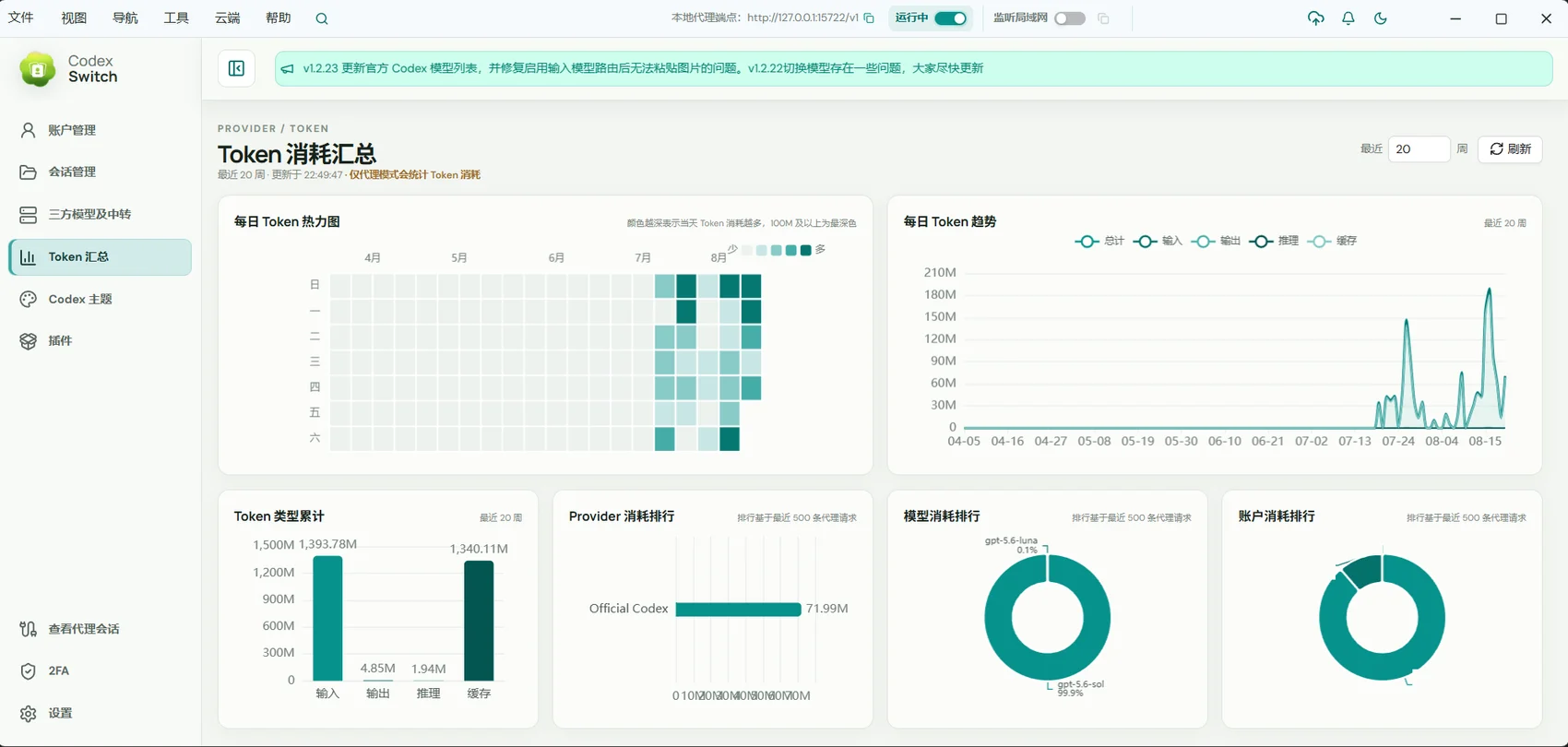
For people reviewing usage habits, comparing models, or investigating proxy request performance.
01 / Token analytics
Start with the larger pattern
Heatmaps and trends help you review activity over time and understand changes in usage.
- Review weekly activity heatmaps.
- Follow Token usage trends.
- Relate usage peaks to your work.
02 / Token analytics
Break usage down by what matters
Compare recorded usage across Token types, Providers, models, and accounts to understand different workflows.
- Distinguish recorded Token categories.
- Compare model and Provider usage.
- Review account-level breakdowns.
03 / Token analytics
Go from totals to individual requests
Proxy sessions show messages, context usage, and response latency. Export structured diagnostics when you need to investigate further.
- Inspect recorded sessions and messages.
- Review context occupancy and response time.
- Export diagnostic information for troubleshooting.
Getting started
- Run tasks through Remote AI GUI or its proxy.
- Open Token analytics to review trends and breakdowns.
- Use proxy sessions to investigate individual requests.
Statistics reflect the requests actually recorded by the application. Cost estimates are not the final bill from your service provider.
A few useful answers
Does this include every model call on my computer?
No. Coverage depends on the requests Remote AI records and the active configuration.
Is the displayed cost my actual charge?
Amounts are estimates or information returned by a service. Refer to the provider for actual subscription or API billing.