
Skills & plugins/07
A workspace that knows your workflow.
Discover community skills and plugins to add reusable methods and tools to everyday tasks.
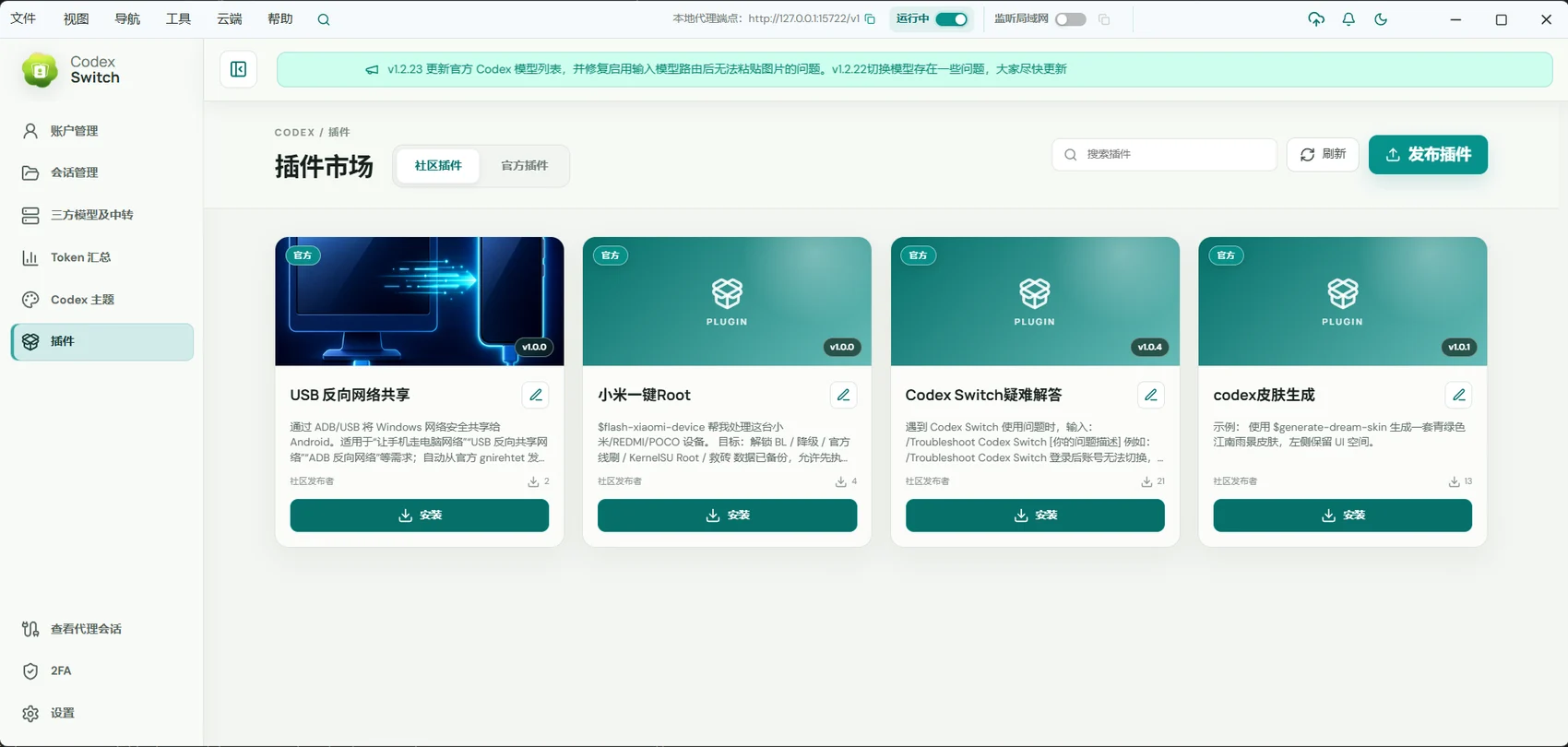
For people extending workflows, reducing repeated instructions, or sharing reusable skills.
01 / Skills & plugins
Find an extension for the task
Search community Skills, understand what they do, and install the ones that fit your work.
- Search and browse community skills.
- Choose extensions around actual tasks.
- Use installed capabilities through the conversation skill or command entry.
02 / Skills & plugins
Bring tools into the conversation
Plugins add specific tools. Computer Use interacts with desktop applications; other extensions depend on their own integrations.
- Manage supported plugins in the app.
- Enable or disable extensions as needed.
- Use tools in conversations for the matching environment.
03 / Skills & plugins
Share a repeatable way of working
Sign into a cloud account to publish and update your own versioned Skill packages.
- Package task instructions and supporting resources.
- Publish a versioned skill.
- Maintain it as your workflow evolves.
Getting started
- Open Skills or community plugins and find the capability.
- Read its description and install it for the intended environment.
- Use it in a conversation and maintain or disable it as needed.
Community extensions are maintained by their authors. Review their purpose, permissions, and dependencies; some require additional services.
A few useful answers
Does a Skill guarantee a task will succeed?
No. Skills provide methods and context. Execution still depends on the model, tools, environment, and permissions.
Can I publish my own skill?
Yes. A cloud account lets you publish and update versioned Skill packages.